.png)
Turn CRM Sales Outcomes into Smarter Meta Ads
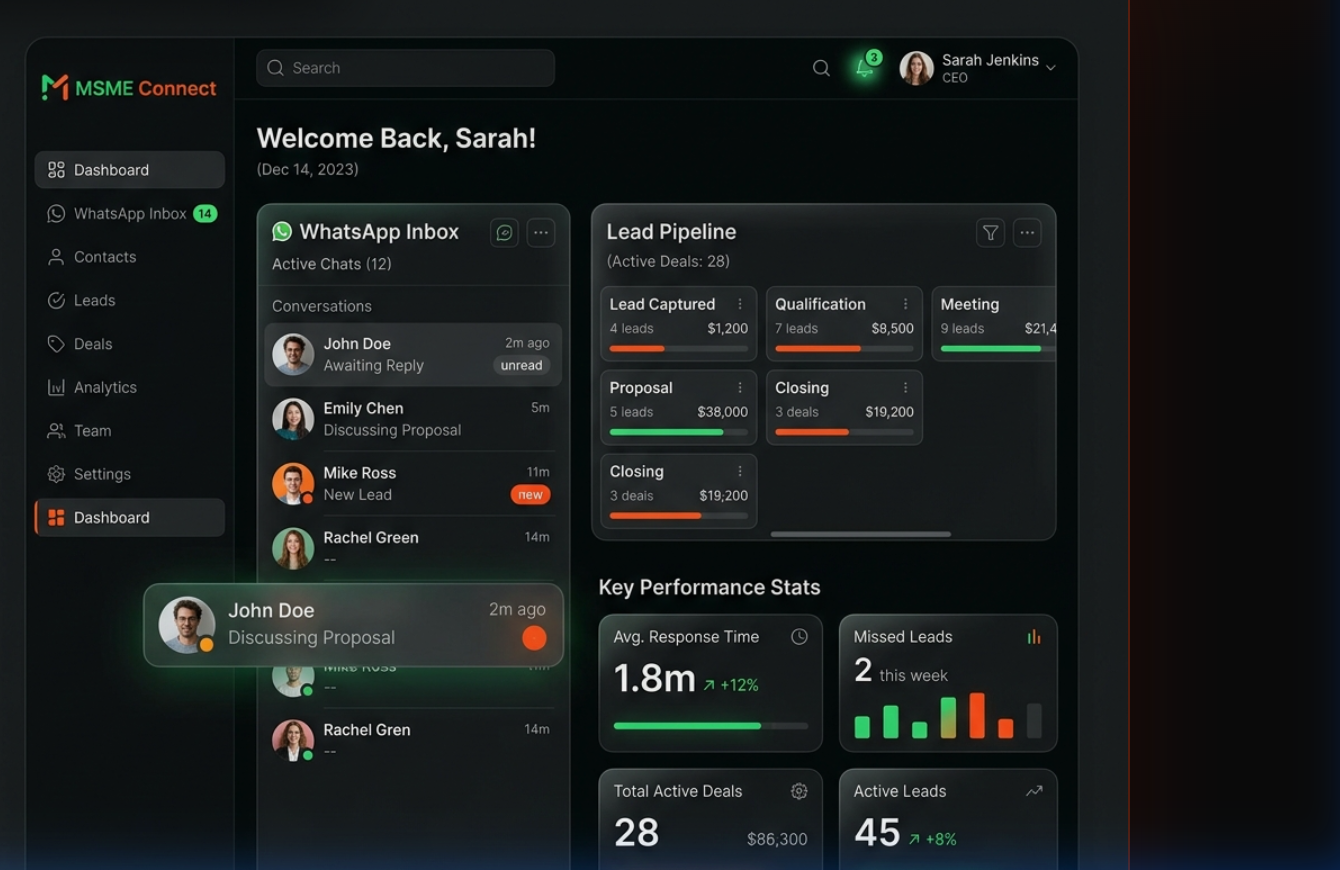
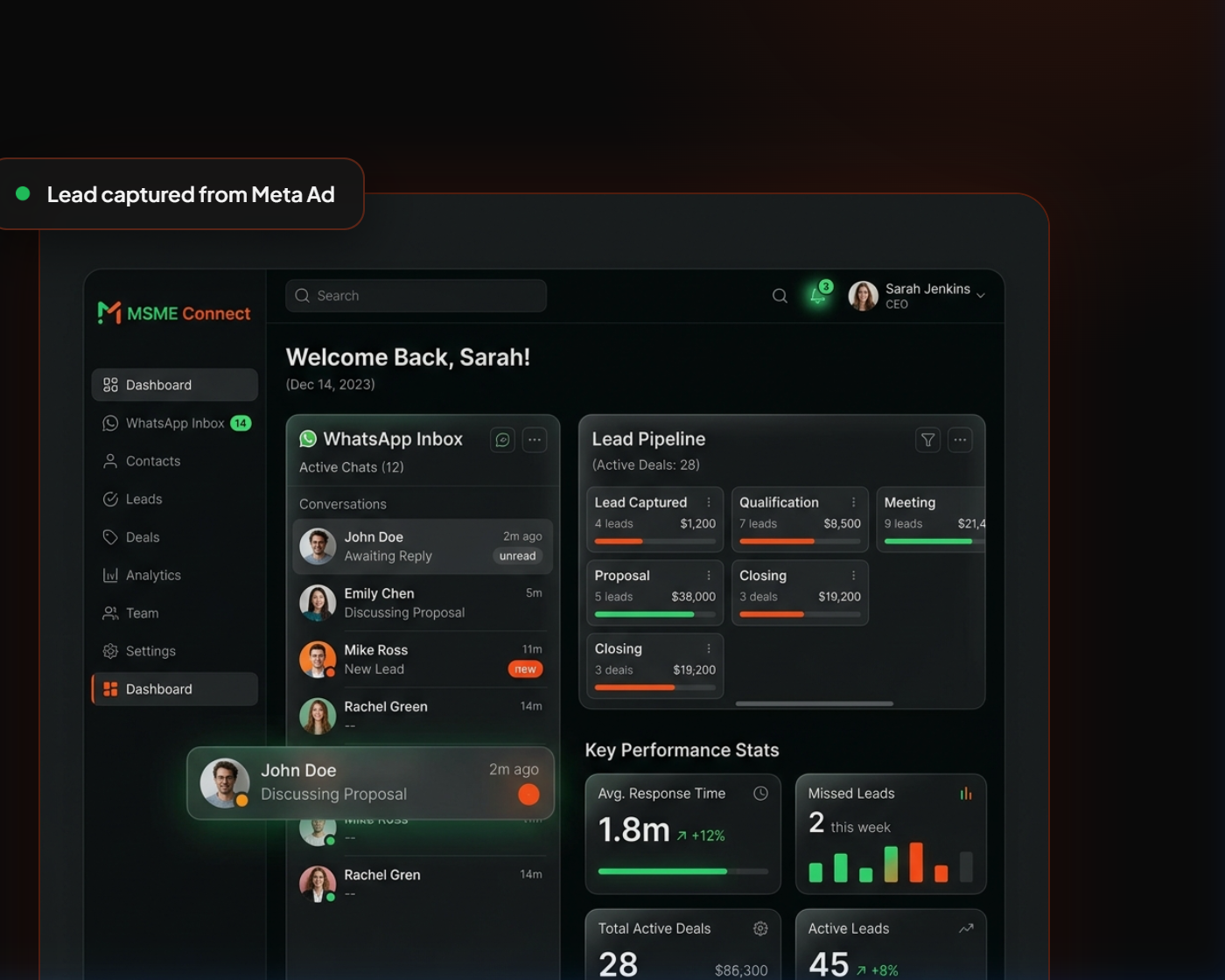
Send qualified leads, sales stages, and revenue events from Flowzo CRM directly to Meta.
Close the feedback loop between advertising click and bottom-line revenue. By feeding downstream CRM milestone data back to Meta server-to-server, your campaigns can optimize targeting for lead quality rather than raw lead volume.
CRM to Meta Conversion Pipeline
Lead Generation
FB / IG Ad Click
CRM Capture
New Lead in Flowzo
Status Update
Pipeline Stage Shift
CAPI Processing
Flowzo Event Queue
Meta Push
Secure Server Event
Optimization
Smarter Ad Targeting
Your Ads Generate Leads But Meta May Not Know Which Leads Become Customers
Traditional browser tracking pixels only see the initial landing page visit or form click. Once your sales team takes over offline—making calls, booking demos, qualifying deals, and collecting payments—the ad platform is left in the dark, leading to wasted ad spend on low-quality traffic.
Pixel-Only Blind Spots
Browser pixels lose visibility the moment a customer exits the browser. Downstream CRM milestones, offline phone orders, and team follow-ups are completely invisible to Meta's auto-optimization engines.
Browser Restrictions
Ad blockers, privacy shields, Apple's iOS App Tracking Transparency, and the depreciation of third-party cookies reduce the reliability of client-side tracking, leaving you with missed pixel events.
Lead Volume vs. Lead Quality
Ad algorithms optimize for the easiest conversions. Without downstream data, campaigns optimize for raw lead volume (cheap clicks), leading to pipelines clogged with unqualified inquiries.
Disconnected Data Silos
Your sales team manages prospects inside your CRM, while your marketing team reviews dashboards inside Meta Ads Manager. Operating on fragmented data limits scale and triggers attribution errors.
A Seamless Server-to-Server Connection
How Flowzo feeds conversion signals back to Meta to align your sales team and ad platforms.
Capture the Lead
Leads from Facebook Lead Ads, WhatsApp campaigns, landing pages, and web forms are routed directly into Flowzo CRM, capturing standard parameters including `fbclid` and client IP address.
Track the Customer Journey
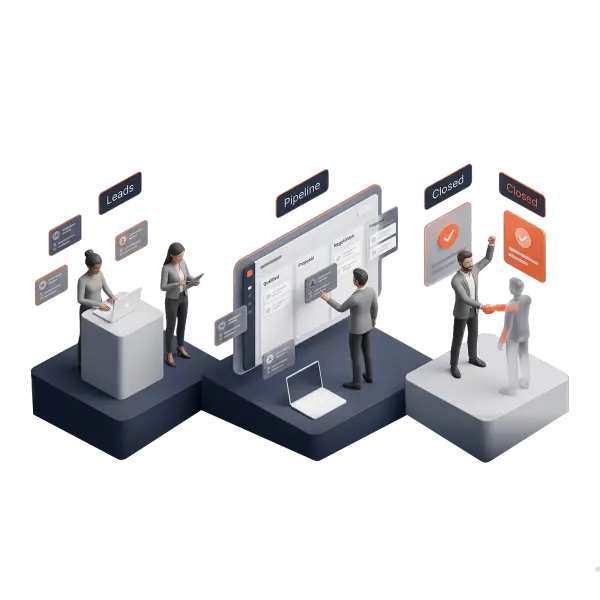
Your sales team updates lead stages, records phone calls, and logs interactions as prospects move from cold contact to qualified opportunity inside the CRM pipeline.
Map CRM Stages to Conversion Events
Through our configuration dashboard, you map specific pipeline stage changes to relevant Meta standard events (like `Lead`, `Schedule`, `Purchase`) or custom conversion labels.
Send Events Server-to-Server
Upon stage transitions, Flowzo securely hashes required customer identifiers (SHA-256) and pushes the event package directly to Meta's server endpoint via API.
Improve Measurement & Optimization
Meta attributes these down-funnel conversions to your campaigns. While results depend on campaign settings, this server data supports improved attribution and targeting parameters.
Data Transmission Pipeline
Flowzo bridges the gap between client interactions, sales activity, and server-side conversion matching.
Why Integrate Flowzo CRM with Meta CAPI?
Unlock robust server-side conversion matching to scale your ad performance and team operations.
Server-Side Reliability
Transmit clean marketing and sales data directly from our secure servers, avoiding ad blockers, VPNs, and client-side browser restrictions.
Optimize for Lead Quality
Map your sales status to Meta events, allowing the ad delivery algorithm to prioritize audience pools that match your qualified buyer profiles.
Improved Attribution Accuracy
Attribute purchases, subscriptions, and bookings to specific ads, campaigns, or creatives, helping you scale based on exact CRM revenue outcomes.
Reduced Cookie Dependency
Ensure business continuity as search engines deprecate third-party cookies by relying on robust server-to-server identifier validation.
Event Match Quality Support
Flowzo passes multiple identifiers (hashed phone numbers, emails, names) in event payloads to improve Meta's Event Match Quality score.
Pixel/CAPI Deduplication
Flowzo automatically handles event matching and deduplication between your website Pixel and CRM Conversions API to prevent double-counting.
Automated Retry Failover
If Meta's servers return a temporary error, Flowzo queue logs the failed attempt and retries delivery periodically to prevent data drops.
Multi-Page Configuration
Easily configure different Meta Pages, Pixels, and API access tokens for separate product ranges or distinct business workflows.
Mapping CRM Pipeline Stages to Meta Events
Flowzo syncs your actual business achievements to Meta standard and custom events.
| Flowzo CRM Stage | Suggested Meta Event | Event Type | Optimization Purpose |
|---|---|---|---|
| New Lead | Lead | Standard | Tracks raw initial form submission and ad response. |
| Registration Completed | CompleteRegistration | Standard | Tracks successful signups or account registrations. |
| Sales Contacted | Contact | Standard | Flags successful phone contacts and initial communications. |
| Appointment Booked | Schedule | Standard | Optimizes for confirmed bookings, demo sets, or meetings. |
| Qualified Lead | Qualified Lead | Custom | Feeds qualification parameters back to target high-intent profiles. |
| Proposal Sent | Proposal Sent | Custom | Signals commercial negotiation stages in long B2B cycles. |
| Deal Won | Purchase | Standard | Passes closed-won deals and contract values for ROAS matching. |
| Subscription Activated | Subscribe | Standard | Signals active recurring memberships or SaaS upgrades. |
Disclaimer: Final event selection depends on the business usecase, Meta configuration, and applicable Meta event specifications.
Designed for Enterprise Data Synchronization
Explore the robust engineering features built into Flowzo's server-to-server CAPI manager.
Meta Page & Dataset Config
Easily connect your Facebook Pages and Meta Datasets to start passing events.
Access-Token Management
Securely store and manage Meta system access tokens with tenant isolation.
Lead-Status Event Mapping
Visual UI to link standard CRM lead stages to conversion event endpoints.
Standard & Custom Event Support
Configure both standard Meta conversions and custom business event queries.
Test Event Code Support
Pass Meta test codes in real-time to debug and verify event delivery inside Ads Manager.
Browser/Server Deduplication
Inject event IDs on form triggers to deduplicate browser Pixel and server CAPI events.
SHA-256 Hashing
Automatically hash names, emails, and phone numbers before they are transmitted.
Payload Validation
Pre-validate event data packets against Meta schemas to minimize rejection rates.
Queue & Retry Failover
Built-in buffer that catches connection drops and reschedules event pushes.
Delivery Status Tracking
Dashboard indicators displaying success, queue, and error counts for your events.
Failure Diagnostics
Detailed logs containing error responses from Meta's API to help resolve syntax errors.
Tenant-Level Isolation
Safeguard your data with segregated configuration settings for each workspace.
Page-Level Controls
Assign unique conversion rules for individual sub-pages and separate web flows.
Sync Audit History
Access audit records tracking all state modifications and event sync updates.
Role-Based Access
Restrict CAPI setup privileges to admins and authorized marketing managers.
Enable/Disable Controls
Toggle the server-side integration on or off instantly with a single switch.
Scheduled Retry Engine
Back-end scheduler that handles queued retries automatically at set intervals.
Consent-Aware Processing
Restrict data synchronization based on user-provided privacy consent flags.
Industry-Specific Conversion Optimizations
How different verticals leverage server-side CRM events to improve lead quality.
Optimize ad delivery using pipeline milestones such as "Qualified Lead," "Proposal Sent," or "Subscription Activated" rather than simple landing page visits.
Feed back downstream events like "Site Visit Scheduled," "KYC Completed," or "Booking Deposited" to ensure ad spend targets high-value property buyers.
Track and optimize campaigns for enrollment completions, course fee payments, and counseling bookings logged offline by your admissions team.
Optimize patient acquisition campaigns by mapping confirmed clinical bookings and completed procedures securely back to Meta's servers.
Deduplicate browser purchase pixels and map cash-on-delivery (COD) confirmations, phone order updates, and offline trial outcomes.
Demonstrate clean CRM-linked ROI to clients, optimize target metrics for downstream revenue, and manage multiple sub-accounts from one place.
Pixel-Only Tracking vs. Flowzo CAPI
See how moving to a server-side hybrid model clarifies your conversion metrics.
- Ad blockers and browser updates block client-side event triggers.
- Algorithms optimize for cheap, low-intent form fills.
- Zero visibility for offline sales, follow-up calls, and manual bookings.
- Ad platform attribution discrepancies and duplicate conversion logs.
- Server-side event transfers avoid client-side tracking restrictions.
- Optimize ads using deep CRM indicators (qualified, scheduled, closed-won).
- Offline pipeline outcomes are securely transmitted back to Meta.
- Reliable event matching with deduplicated Pixel-to-Server events.
How We Set Up Your Meta CAPI Integration
We guide you through the process to establish a reliable server-side connection.
Meta Business Configuration
Ensure your Meta Business Manager has the correct ownership permissions for the target dataset and domain verification.
Generate Access Token
Create a secure system access token within your Meta Events Manager panel.
Bind to Flowzo CRM
Link your Meta Access Token and Dataset ID within the Flowzo CAPI Settings tab.
Map Pipeline Stages
Map your internal Flowzo pipeline milestones to Meta standard or custom conversion labels.
Configure Hashing Parameters
Configure which client identifiers (email, phone, name) will be processed into SHA-256 strings for match matching.
Verify with Test Event Code
Paste the Meta Test Event Code into Flowzo to review real-time API logs in Events Manager.
Enable Deduplication Headers
Verify that your landing pages transmit the same `event_id` from the browser Pixel and Flowzo CAPI engine.
Go Live & Monitor Match Quality
Disable Test Mode to start syncing live events, and monitor the Event Match Quality score in Meta Events Manager.
Note: Implementation and setup details vary based on Meta Business Manager verification statuses, ad account permissions, and API parameters.
Secure Server-Side Data Governance
Your customer data and API credentials are protected using secure server architectures.
HTTPS Encrypted Transport
All data in transit is protected using industry-standard TLS encryption protocols.
Secure Hashing (SHA-256)
Identifiers (emails, phone numbers) are converted into secure hashes on the server before transmission.
Credential Protection
Your Meta API tokens are stored using enterprise encryption and are excluded from system execution logs.
Tenant Isolation
Strict access controls prevent cross-workspace data access, ensuring total metadata privacy.
Consent-Aware Processing
System processing respects your clients' data-sharing preferences and privacy indicators.
Detailed Audit Logs
Review comprehensive sync history, payload summaries, and delivery outcomes directly inside the dashboard.
Disclaimer: Businesses remain solely responsible for securing necessary client consent and ensuring compliance with Meta’s policies, terms, and applicable local privacy laws (like GDPR, CCPA, or DPDP).
Frequently Asked Questions
Get answers to the most common questions regarding our Conversions API integration.
Meta Conversions API is a server-side tracking tool that allows businesses to share key marketing and sales events directly from their server (like Flowzo CRM) to Meta. Unlike browser-based pixels, it operates independently of ad blockers, cookie policies, or browser restrictions.
No, it does not replace the Meta Pixel. Meta recommends using both the Meta Pixel and Conversions API together. Flowzo automatically handles event matching and deduplication between browser-based pixel events and server-side events, ensuring you get accurate attribution without double-counting conversions.
Yes. Whenever a sales representative updates a lead's stage in the Flowzo CRM pipeline (e.g., from "New Lead" to "Demo Scheduled" or "Qualified"), Flowzo can trigger a server-side event to Meta in real-time, mapping that pipeline milestone to standard or custom conversion events.
No, using Meta Conversions API does not guarantee a lower CPL. However, by sending downstream CRM outcomes (like closed deals or qualified meetings) back to Meta, the ad platform can better optimize targeting towards higher-quality leads. This can improve ad relevance and support better attribution over time, depending on campaign setup and data quality.
Yes. Flowzo securely handles all data transfers. Required customer identifiers (like email addresses and phone numbers) are automatically hashed using SHA-256 on the server-side before they are sent to Meta, in compliance with security and privacy standards.
Yes. Agencies can configure Meta Page and dataset parameters for each client within Flowzo CRM, keeping data separated and sending server-side events to the respective Meta Ads accounts.
Event Match Quality is a score (from 1 to 10) that Meta assigns based on how well the customer information sent in an event matches an active Facebook user. Flowzo helps improve this score by sending multiple hashed identifiers (email, phone, name) to ensure high matching accuracy.
Flowzo features an automated event queue and retry mechanism. If Meta's server is unreachable or returns a temporary error, Flowzo queue logs the failed attempt and retries delivery periodically, helping to prevent data loss.
Connect Your CRM Revenue to Your Meta Campaigns
Talk to a Flowzo integration specialist to configure your Conversions API server link. Align your marketing spends with cold CRM sales outcomes.